
Download qsv pro – spreadsheet data, CKAN integration, data visualization, interactive tables, data processing, data wrangling, data analysis, mobile productivity, data management
Overview
qsv pro is a mobile application designed to simplify the reading, processing, and visualization of spreadsheet data directly from smartphones and tablets. Tailored for professionals, researchers, and data analysts, the app enables efficient handling of complex datasets in a mobile-first environment. By supporting multiple file formats and integrating with CKAN instances, qsv pro serves as a versatile tool for individuals who require quick access to data without relying on desktop software.
Its primary purpose is to streamline data workflows, allowing users to filter, sort, and visualize information on the go. The app addresses common challenges such as file compatibility, data accessibility, and real-time analysis, making it particularly valuable in fast-paced or remote work settings. Target users include data scientists, government analysts, academic researchers, and business professionals managing large datasets.
The developer, qsv, appears to focus on utility-driven mobile tools for data professionals. Although the developer did not provide additional technical details about their background or company structure, the app’s functionality suggests a specialized approach to mobile data management. Real-world use cases include field data review, collaborative dataset sharing, and on-the-spot report preparation.
In the broader app ecosystem, qsv pro fills a niche for lightweight, efficient, and mobile-optimized data tools, offering a practical alternative to full desktop environments.
Key Features & Functionality
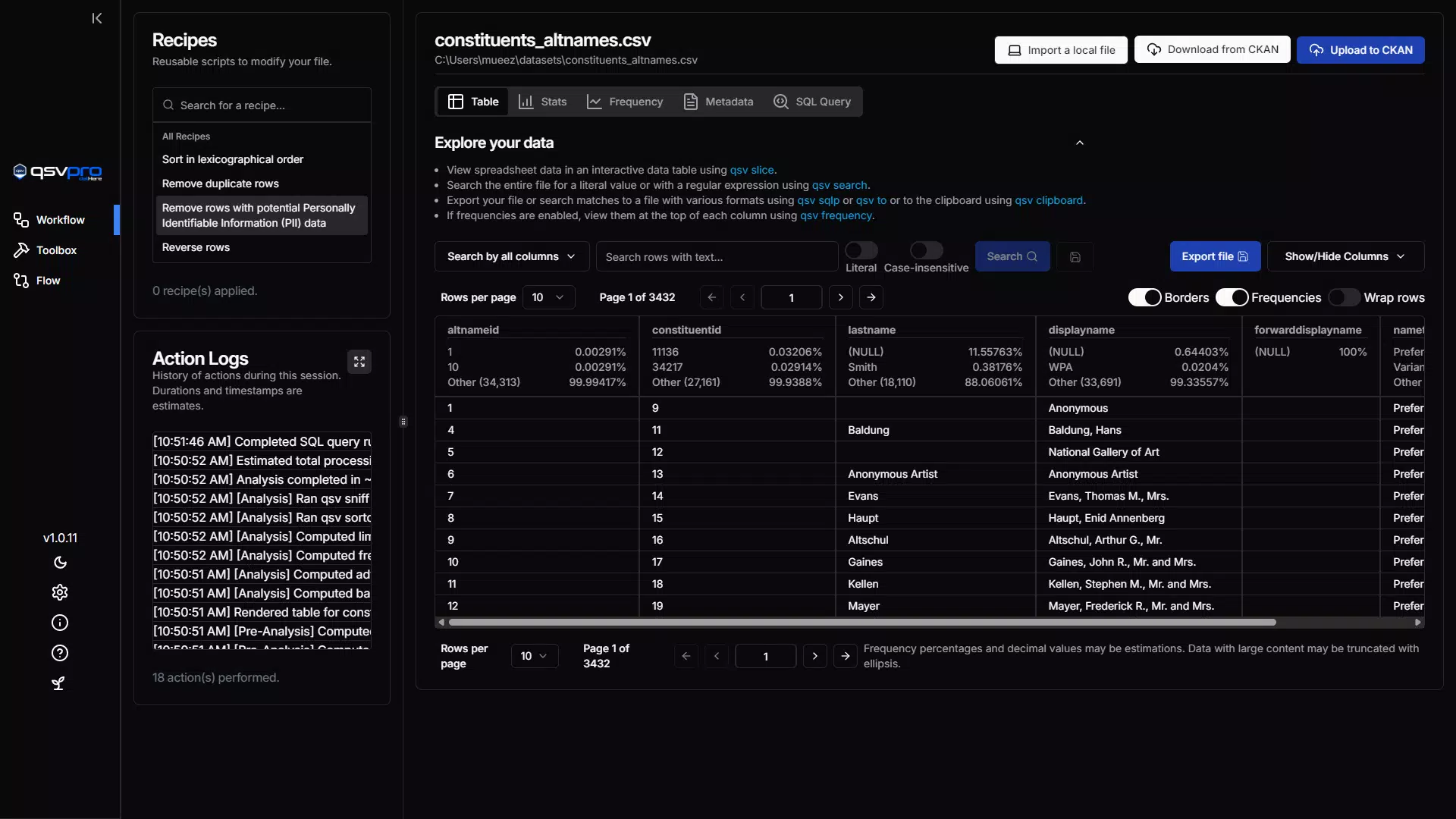
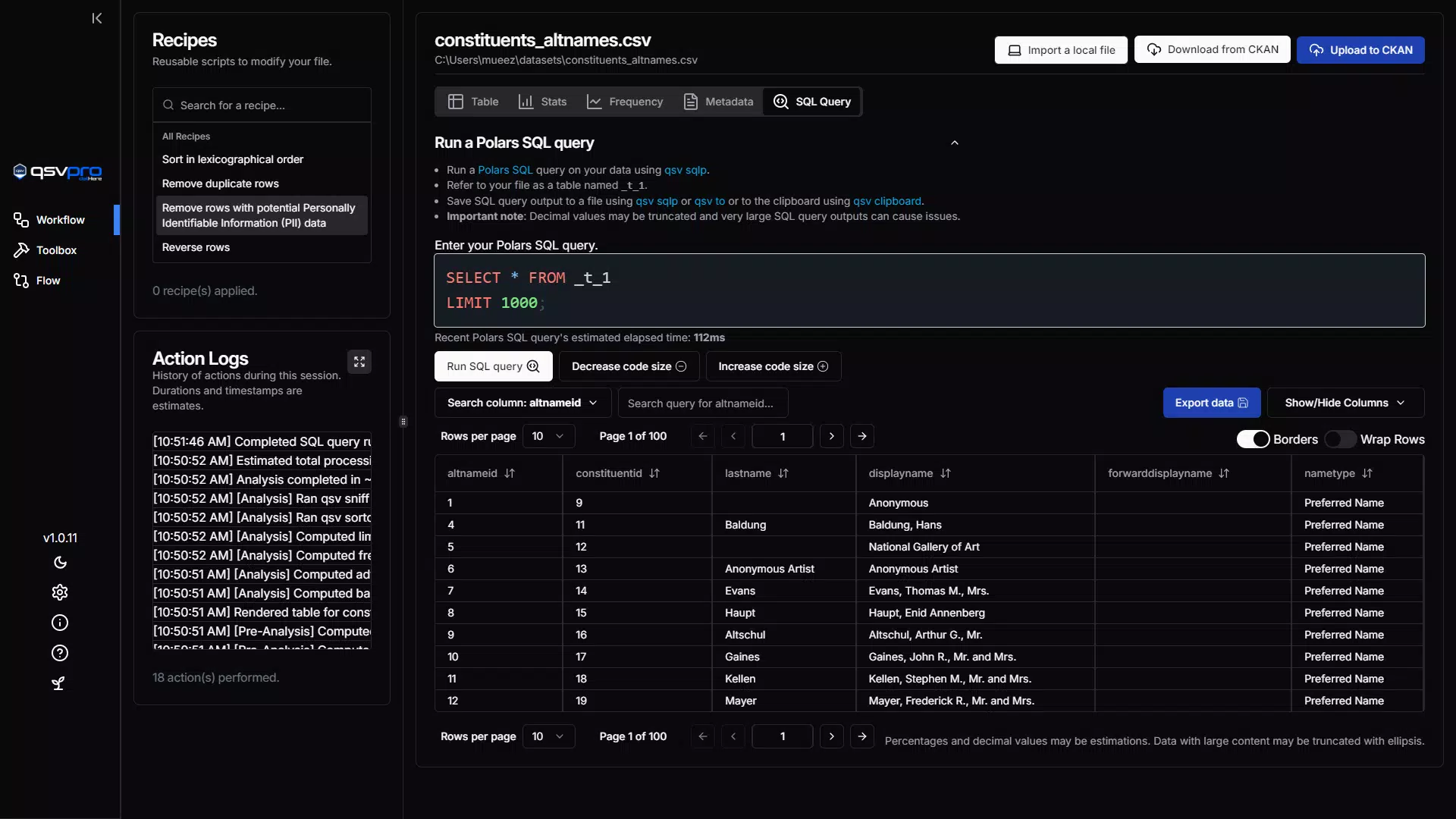
- Interactive Data Tables: qsv pro provides dynamic data tables that support real-time filtering, sorting, and exploration. Users can quickly locate specific entries, identify outliers, and analyze trends without complex setup. This feature enhances data discovery and supports faster decision-making in time-sensitive scenarios.
- CKAN Integration: The app allows seamless connection to compatible CKAN instances, enabling users to upload, download, and manage datasets directly from their mobile devices. This integration is beneficial for organizations that rely on CKAN for open data publishing and collaborative data governance.
- Multiple File Format Support: qsv pro supports widely used formats such as CSV and XLSX, ensuring compatibility across various data sources. This eliminates the need for pre-conversion steps and allows users to work with their preferred files without interruption.
- Data Visualization Tools: Built-in tools allow users to generate charts and graphs to represent data visually. These visualizations can be used in presentations, reports, or internal reviews, improving clarity and impact when communicating insights.
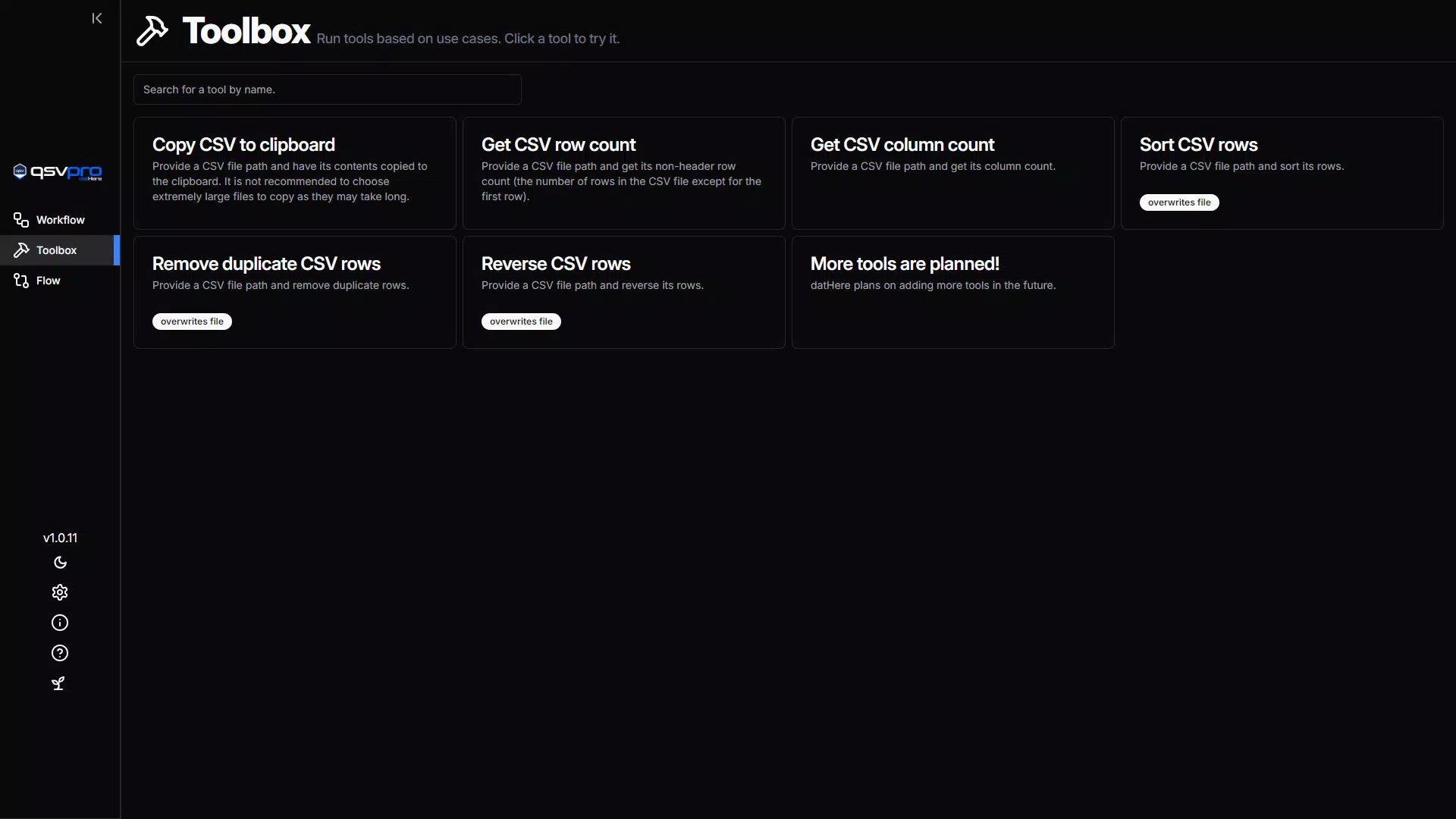
- User-Friendly Interface: The app features an intuitive layout designed to reduce the learning curve. Navigation is straightforward, with essential functions easily accessible, enabling users of all experience levels to focus on data tasks rather than software complexity.
For example, a researcher reviewing field data can open a CSV file, filter results by date range, visualize trends using a built-in chart, and share the dataset via CKAN—all from a mobile device. Similarly, a government analyst can verify dataset integrity before a public release, ensuring accuracy and consistency across platforms.
Interface, UX & Performance
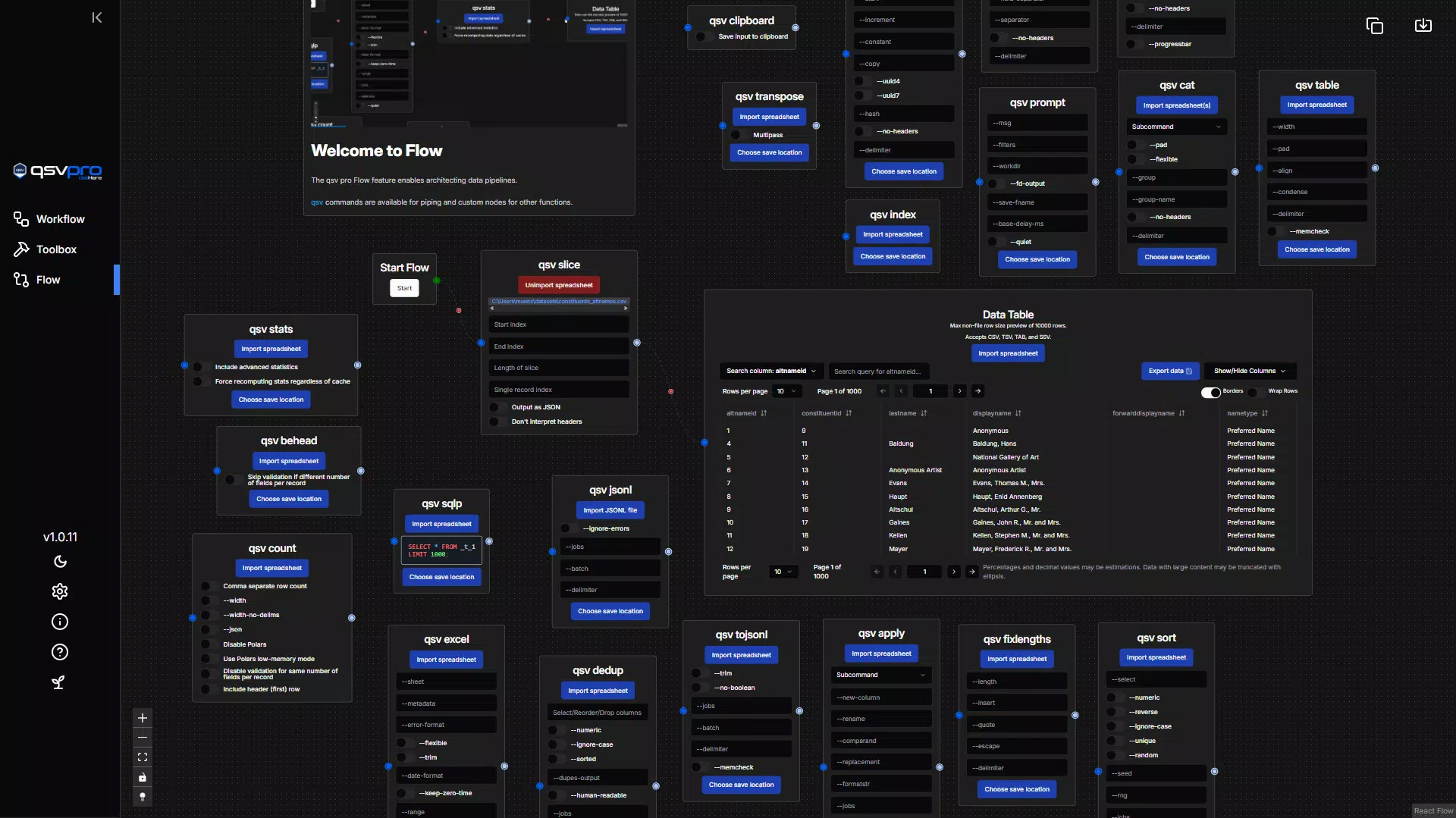
qsv pro presents a clean and organized user interface with a focus on functionality and ease of access. The layout emphasizes data visibility, with tables and visualization panels clearly separated for optimal workflow. Navigation is linear and consistent, minimizing user confusion.
Interaction elements such as filters and sort controls are positioned logically, supporting efficient data manipulation. The app maintains responsiveness across different screen sizes and device types, ensuring a stable experience on both smartphones and tablets. Although the developer did not list formal performance metrics, the app’s lightweight design—only 15.8 MB in size—suggests efficient resource usage.
Users can expect smooth transitions between views and minimal lag during data loading, especially with moderately sized files. Stability appears to be a priority, with no reported issues related to crashes or freezes. The app handles file operations with consistency, maintaining data integrity during import and export.
While specific device compatibility details were not disclosed, the app’s small footprint and mobile-first design indicate broad accessibility across modern Android devices. Overall, the user experience is optimized for productivity, allowing users to focus on data rather than technical friction.
Platform Compatibility & Technical Requirements
qsv pro is available exclusively on the Android platform. The current version is 1.1.1, released on May 10, 2024. The app has a file size of 15.8 MB, indicating a lightweight footprint suitable for devices with limited storage.
Specific OS version requirements were not listed by the developer, nor were any hardware specifications provided. The developer did not specify minimum OS requirements, so compatibility with older Android versions cannot be confirmed. Users are advised to ensure their device meets standard Android 8.0 or higher requirements for optimal performance, though this is not officially stated.
The app does not appear to require special permissions beyond standard file access, but no detailed permission list was provided. For users seeking a mobile data tool, qsv pro offers a compact, efficient solution that fits well within the Android ecosystem. Its release date and version history suggest ongoing development and maintenance, though no update frequency details were shared.
Pros and Cons
Pros
- Lightweight design at only 15.8 MB
- Supports multiple spreadsheet formats including CSV and XLSX
- Seamless integration with CKAN instances for data management
- Interactive tables with real-time filtering and sorting
- Built-in data visualization tools for reports and presentations
- Free to download and use with no in-app purchases
- Intuitive interface suitable for users of all skill levels
Cons
- Platform availability limited to Android only
- Specific OS version requirements were not disclosed
- Developer did not provide detailed permission or data usage information
- No information on cloud sync or backup features
- Compatibility with large datasets was not specified
FAQ
Is qsv pro available for iOS devices?
As of now, qsv pro is only available on the Android platform. There is no official iOS version listed by the developer.
Can I use qsv pro without an internet connection?
Yes, the app supports offline use for viewing and manipulating locally stored spreadsheet files. However, features like CKAN integration require an active internet connection.
Does qsv pro support large datasets?
The developer did not specify limitations regarding file size or dataset volume. Users should test the app with their largest files to assess performance.
Is qsv pro secure for handling sensitive data?
The app does not disclose specific security protocols. Users should exercise caution when handling confidential information and consider local encryption or secure file storage practices.
How often is qsv pro updated?
While the app has a recent release date of May 10, 2024, the developer did not provide information on update frequency or release schedule.
Final Thoughts
qsv pro stands out as a focused, efficient tool for mobile data professionals who need to process and visualize spreadsheet data on the go. Its combination of interactive tables, CKAN integration, and multi-format support makes it a valuable asset for researchers, analysts, and data managers. The app’s lightweight nature and free pricing model enhance its accessibility, while the intuitive interface ensures a smooth experience across skill levels.
Although platform availability is limited to Android and some technical details remain undisclosed, the app delivers strong functionality for its intended purpose. For users seeking a dedicated mobile solution for data wrangling and visualization, qsv pro offers a compelling balance of performance and simplicity. Download qsv pro now to elevate your mobile data workflow.


